


To make sure that the emails you have subscribed to go to your Inbox follow these easy steps :
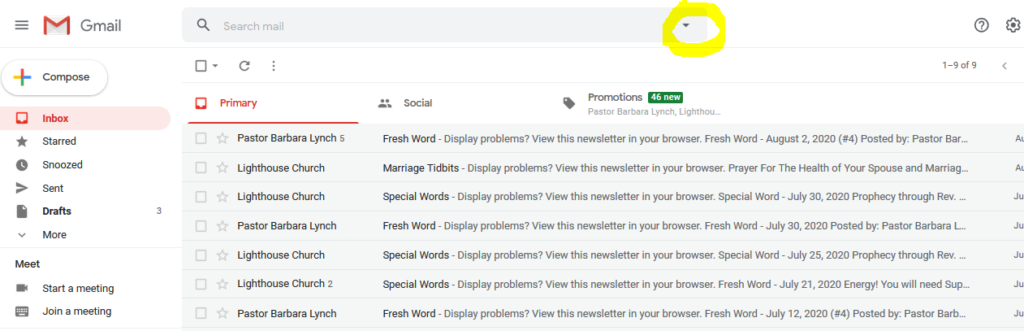
1.Open your Gmail account and click the drop down icon to the right of the Gmail search field.
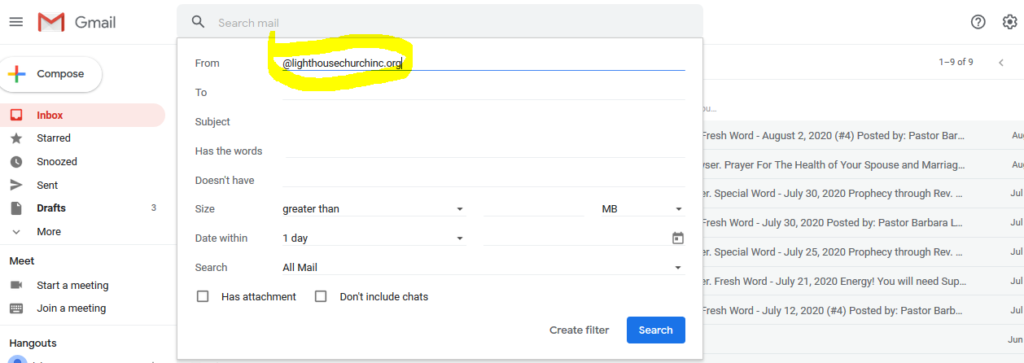
2. Enter @lighthousechurchinc.org in the “From” field.
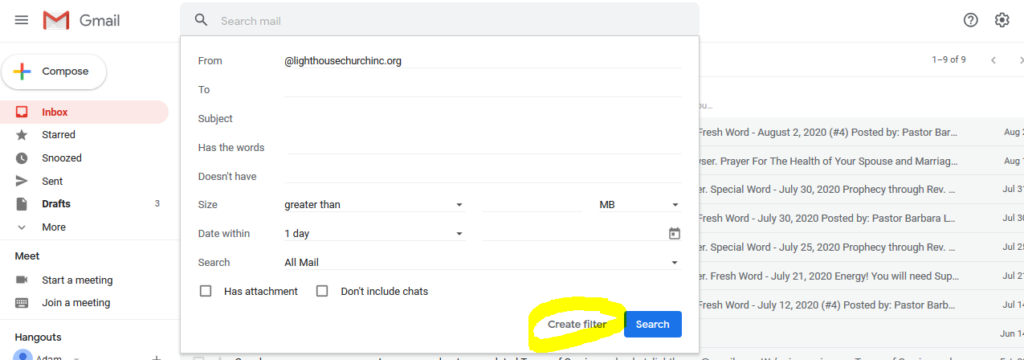
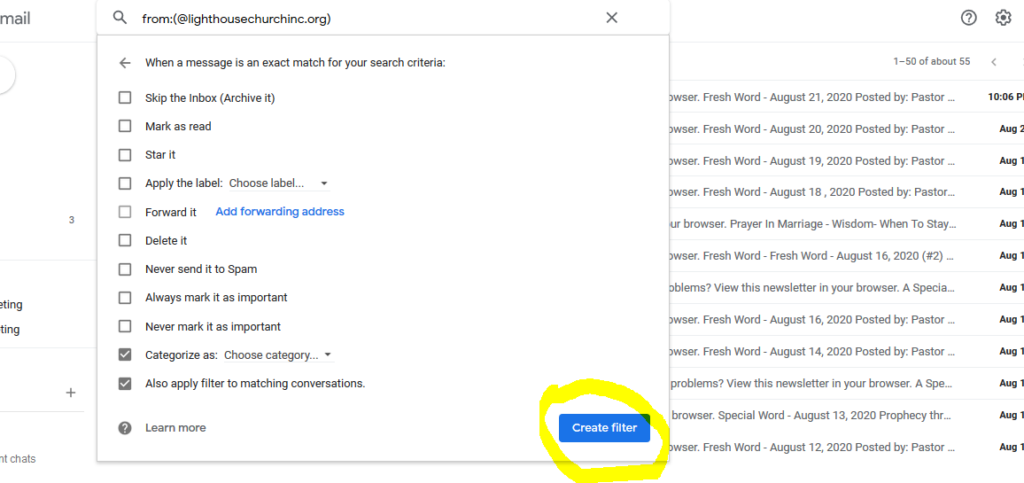
3. Click “Create filter”.
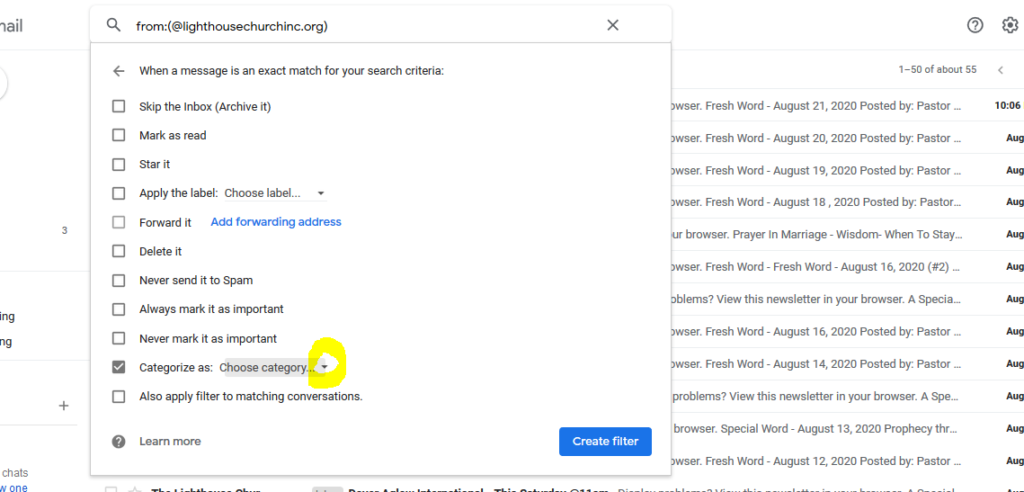
4. Select “Categorize as”.
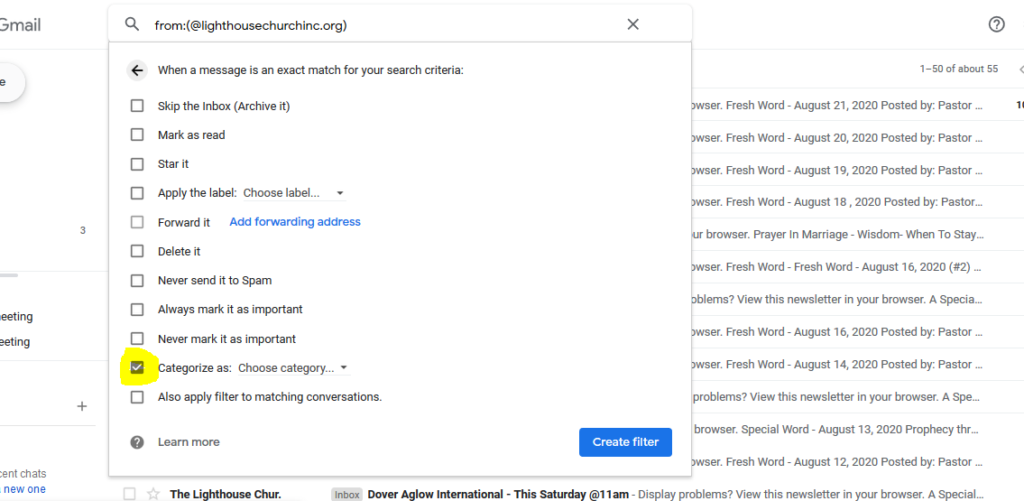
5. Click the drop down icon to the right of “Choose category” and select “Primary”.
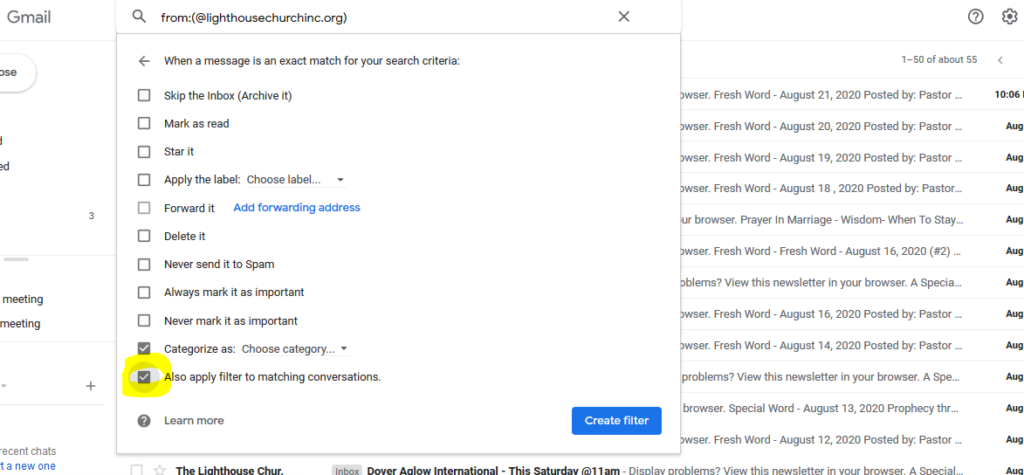
6. OPTIONAL: If you want to bring any previous emails that went into the Promotions folder into your inbox select “Also apply filter to matching conversations”.
7. Click “Create filter”.
Now the emails you have subscribed to will go directly into your Inbox.